
Staying connected with family members has become more important than ever, especially when everyone is juggling busy schedules, school, work, and travel. Thanks to modern mobile technology, you can now locate your loved ones through their phones in a safe, convenient, and reliable way. Whether you want to ensure your child’s safety, check on elderly parents, or simply stay connected with your family, phone‑based location sharing can offer tremendous peace of mind.
This guide explores the most effective ways to locate family members on both iPhone and Android devices, introduces powerful tracking tools, and explains how to use them responsibly. You’ll also learn how location sharing can strengthen trust and communication within your family.
1. Why Locating Family Members Can Be Helpful
There are many meaningful reasons families choose to share their locations:
- Child safety: Parents can ensure their children arrive safely at school, activities, or friends’ homes.
- Elderly care: Families can check on older relatives who live alone or may need assistance.
- Travel coordination: Location sharing makes it easier to meet up or track someone’s journey.
- Emergency situations: Knowing a loved one’s location can be crucial during unexpected events.
While location tracking is helpful, it must always be done with consent, transparency, and respect for privacy. Open communication is essential to maintaining trust.
2. How to Locate Family Members Using Family Sharing on iPhone
Apple’s Family Sharing and Find My app make it easy for iPhone users to share their real‑time location with trusted family members.
Before You Start
Ensure Family Sharing is enabled: Settings → Family → Invite Family Members
Steps to Locate a Family Member on iPhone
- Open the Find My app.
- Tap People at the bottom left.
- You’ll see a list of family members who have chosen to share their location.
- Select a name to view their real‑time location on the map.
This method is secure, built into iOS, and works seamlessly across all Apple devices.
3. How to Track Family Members on Android Using Google Maps
Android users can rely on Google Maps Location Sharing, a simple and effective way to share real‑time locations.
Before You Start
Your family member must share their location with you through Google Maps.
Steps to View a Family Member’s Location
- Open Google Maps on your Android phone.
- Tap the menu icon (three horizontal lines).
- Select Location sharing.
- Choose the family member whose location you want to view.
Their real‑time location will appear on the map, along with movement updates.
4. The Most Powerful Way to Locate Family Members’ Phones
For parents who want more advanced features—such as real‑time GPS tracking, location history, and geofence alerts—dedicated parental control apps offer the most complete solution.
One of the most effective tools is PhoneParental Family Locator, designed for families who want reliable, continuous monitoring.
Key Features
- Real‑time GPS tracking
- Location history timeline
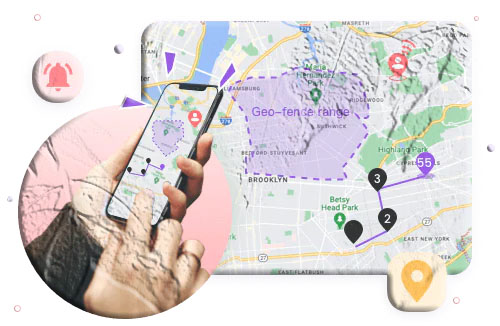
- Geofence alerts (notifications when a child enters or leaves an area)
- Easy parent‑child device pairing
How to Use PhoneParental Family Locator
- Install the Parent App on your phone and create an account.
- Install PhoneParental Kids on your child’s device and enter the pairing code.
- Grant the required permissions on the child’s phone.
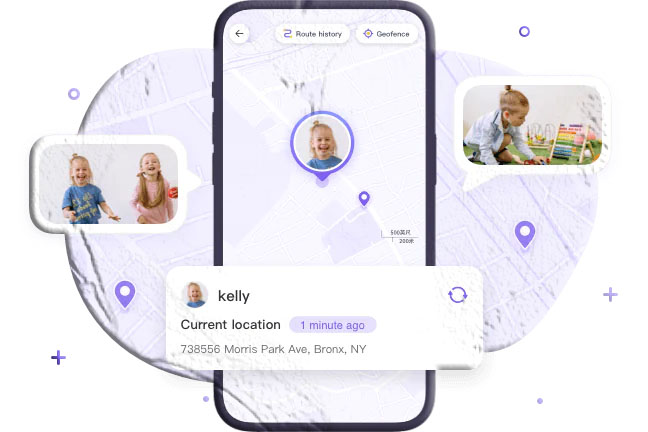
- Open the Parent App and tap the GPS icon to view your child’s real‑time location.
This method is ideal for busy parents who want a dependable, all‑in‑one family safety solution.
5. Other Reliable Tools for Locating Family Members
Several other apps offer excellent location‑sharing features:
- Google Family Link — Free parental control app with location tracking and device usage reports.
- Glympse — Share your location temporarily without long‑term tracking.
- GPSWOX Family Locator — Real‑time tracking with geofence alerts.
- Sprint Safe & Found — Includes emergency alerts and family location sharing.
- Life360 — Popular all‑in‑one family safety app with crash detection and roadside assistance.
These apps are helpful for families who want flexibility and additional safety features.
6. The Emotional Side of Location Sharing: Building Trust
Technology can help keep families safe, but it should never replace communication and trust. Tracking someone without their knowledge can damage relationships and create unnecessary tension.
Healthy location sharing should include:
- Open conversations about why tracking is needed
- Mutual agreement on boundaries
- Respect for privacy
- Regular check‑ins to maintain trust
Strong family relationships are built on communication—not just technology.
Conclusion
Locating family members through their phones is a powerful way to stay connected and ensure everyone’s safety. Whether you use iPhone Family Sharing, Google Maps, or advanced parental control apps, these tools make it easier to keep track of loved ones in a responsible and respectful way.
Always remember: technology supports safety, but trust and communication keep families strong.
Additional FAQs About Locating Family Members’ Phones
Can I use my phone to find someone else’s phone?
Yes, as long as they have shared their location with you through apps like Find My, Google Maps, or a family locator app.
Can Google Family Link track an iPhone?
Yes. Family Link works on both Android and iPhone, allowing you to view your child’s location across devices.
Is it legal to track a family member without permission?
No. Tracking someone without their consent is illegal in most regions and violates personal privacy.
Why can’t I see my child’s location on my iPhone?
Check that:
- Location Services are enabled
- Both devices use the correct Apple ID
- Location sharing is turned on in the Find My app
Can I track my child without them knowing?
It’s strongly discouraged. Secret tracking can harm trust. Instead, use parental control apps that encourage transparency.
What’s the safest way to track elderly family members?
Apps like Life360 or PhoneParental offer real‑time tracking and emergency alerts, which are helpful for seniors living alone.